- Step 1 of 10
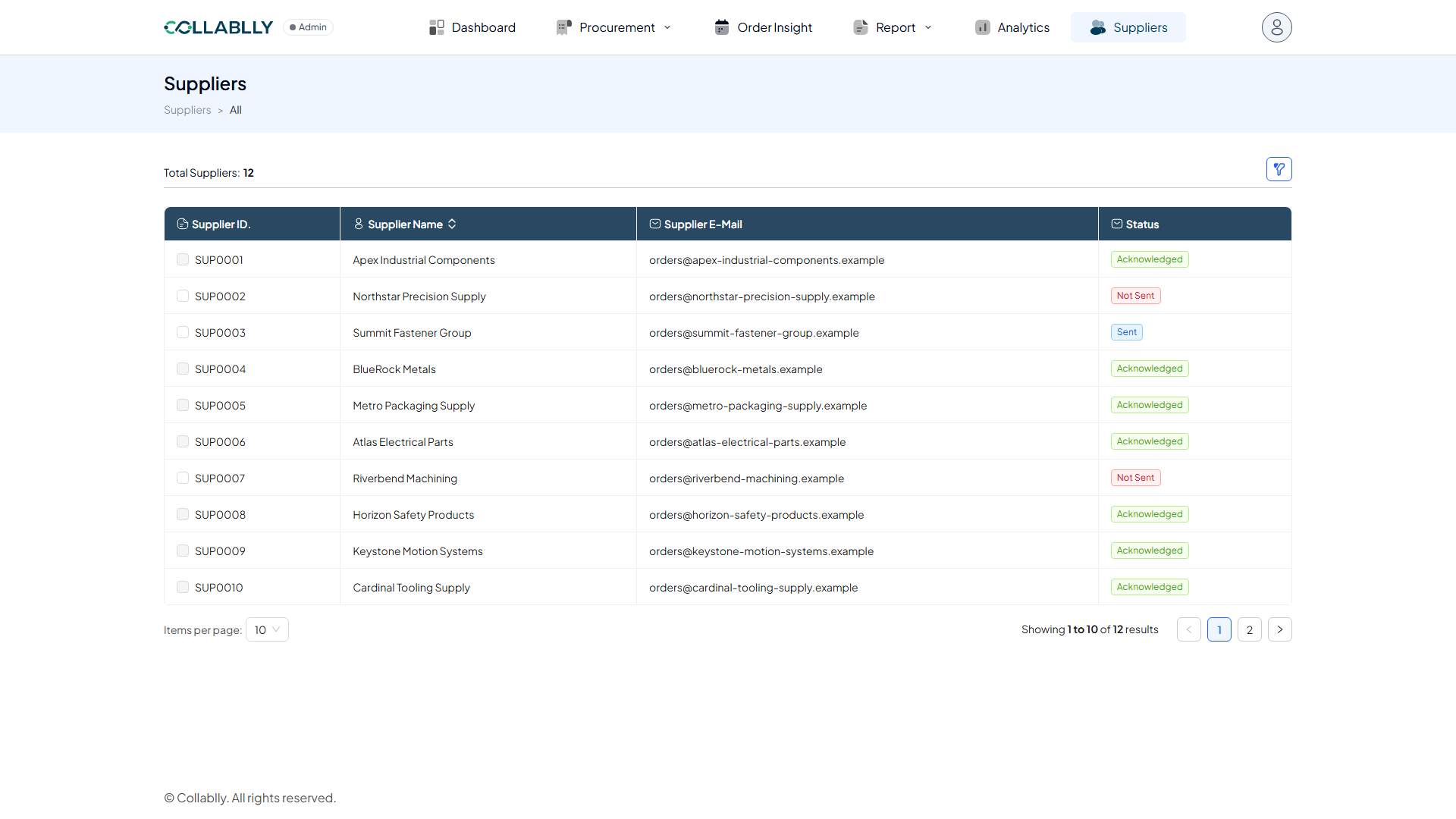
Open Suppliers
From the top navigation, select Suppliers. This is your supplier directory.
- Step 2 of 10
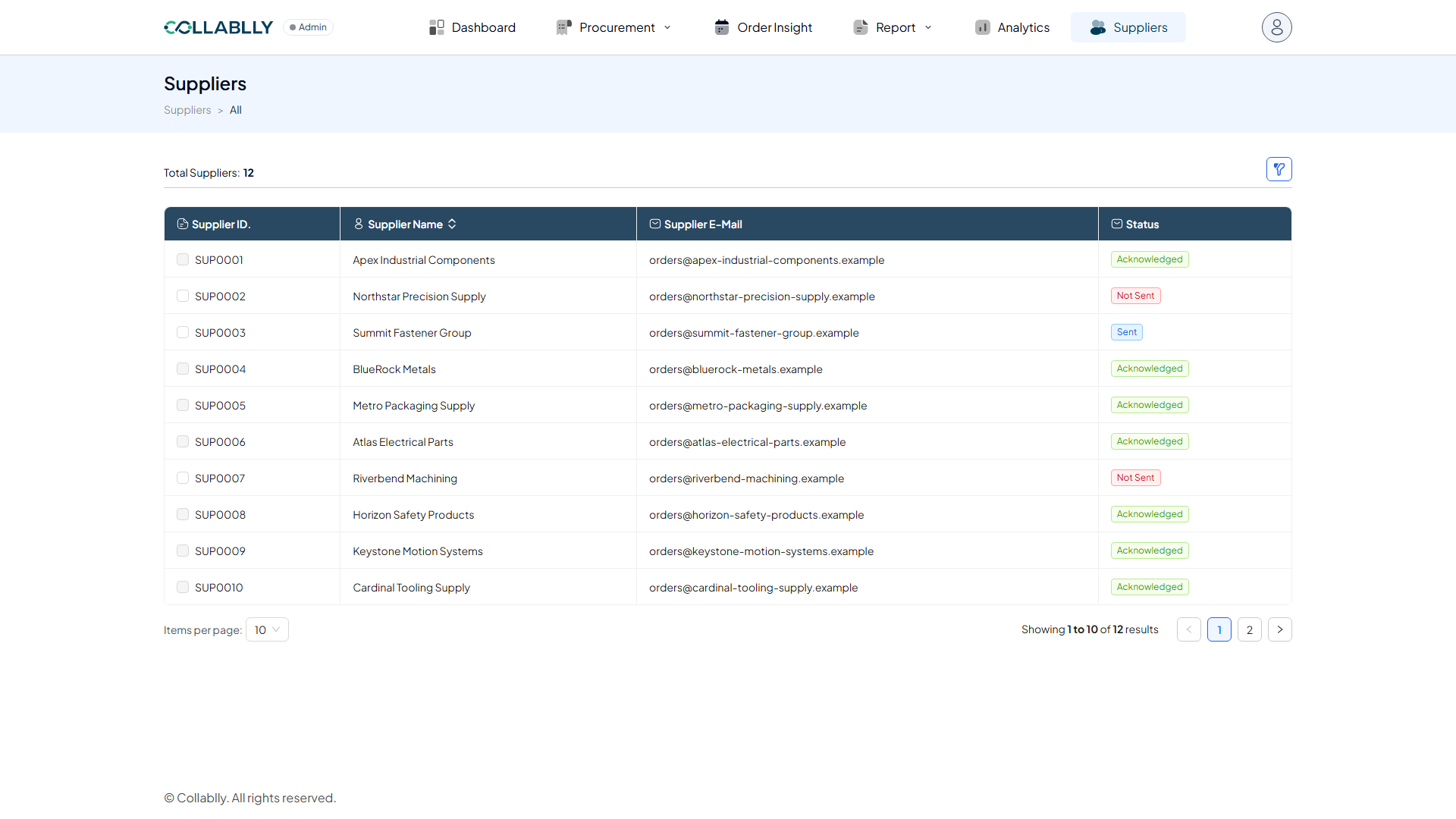
What this page shows
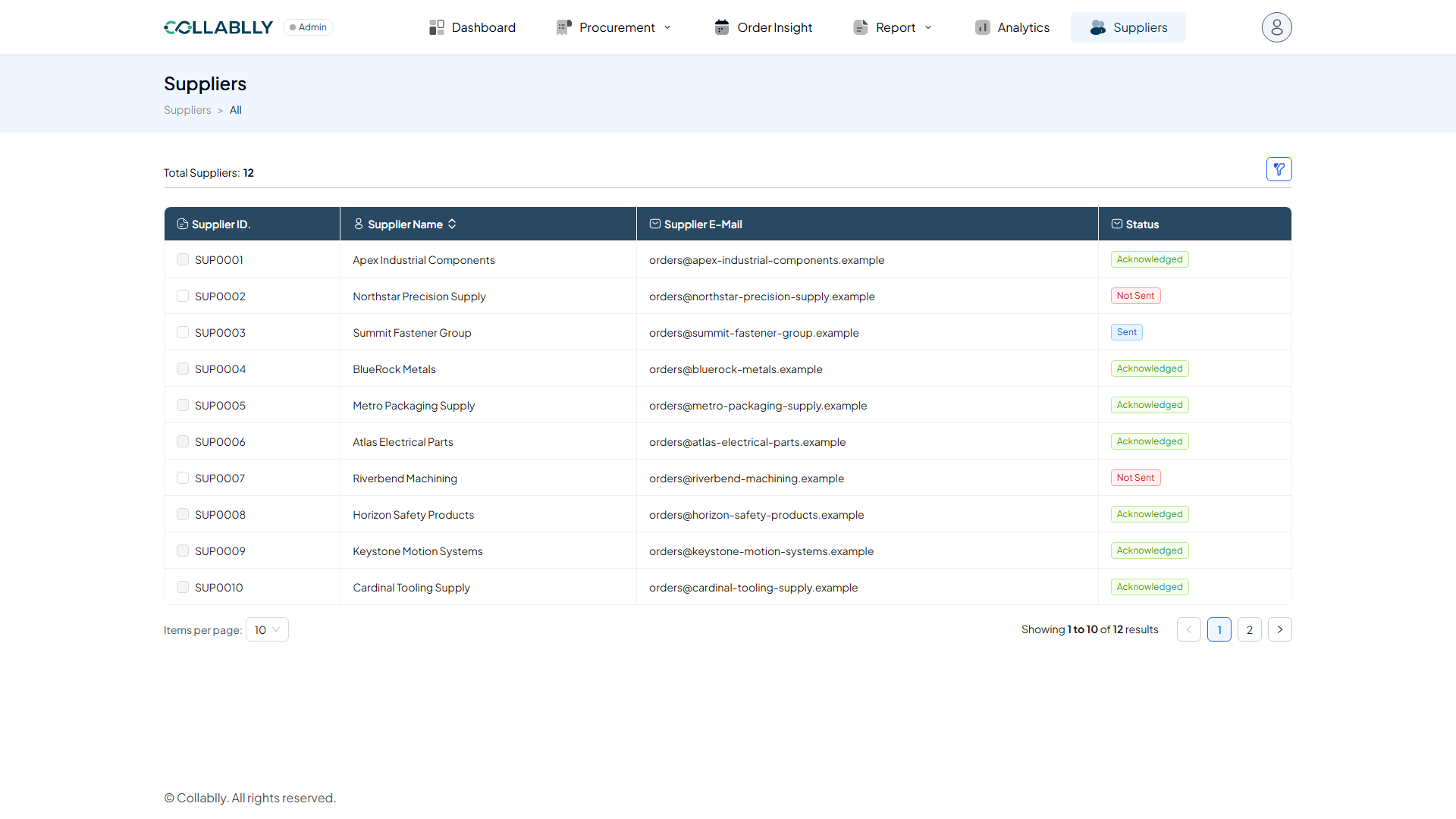
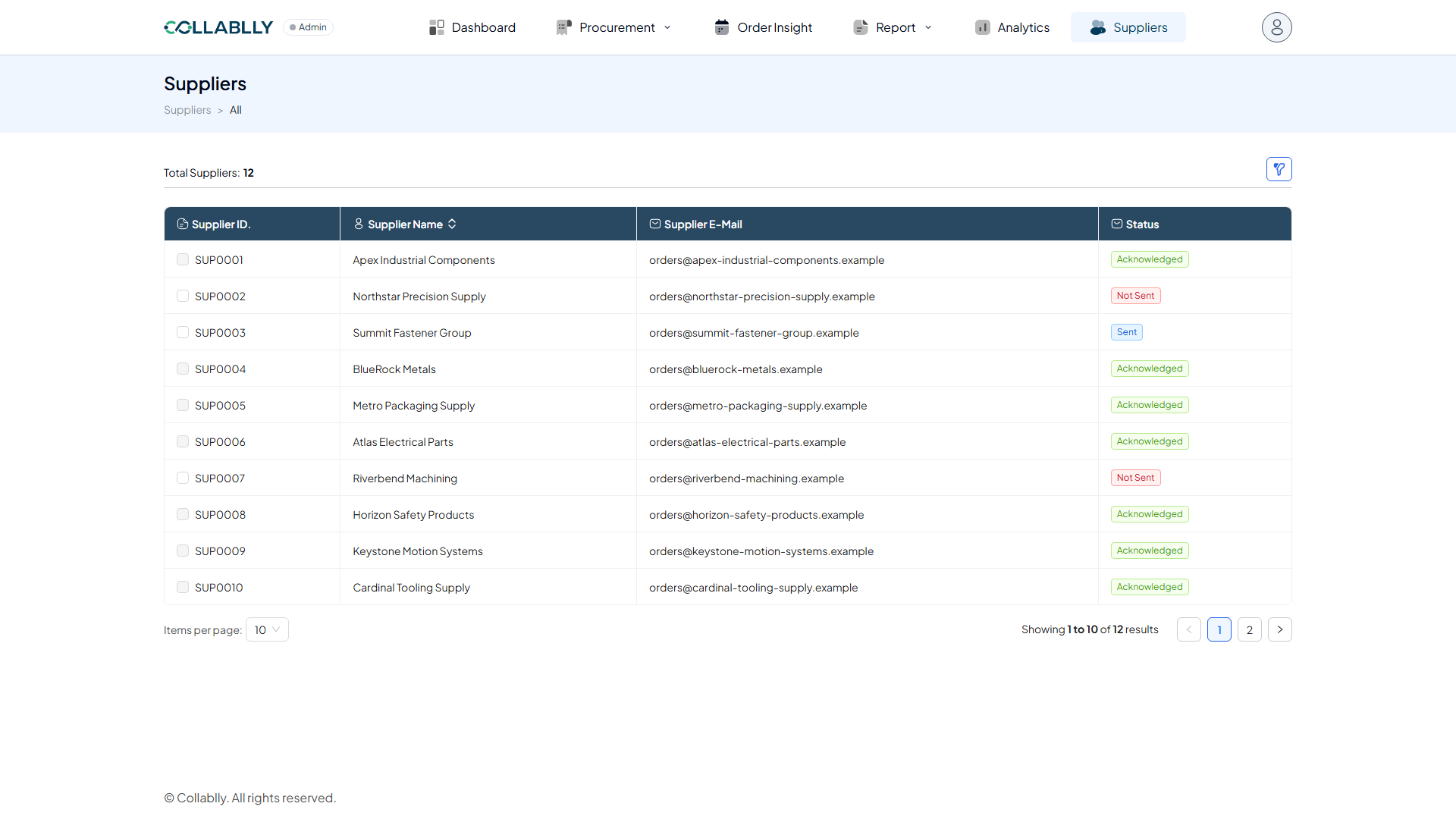
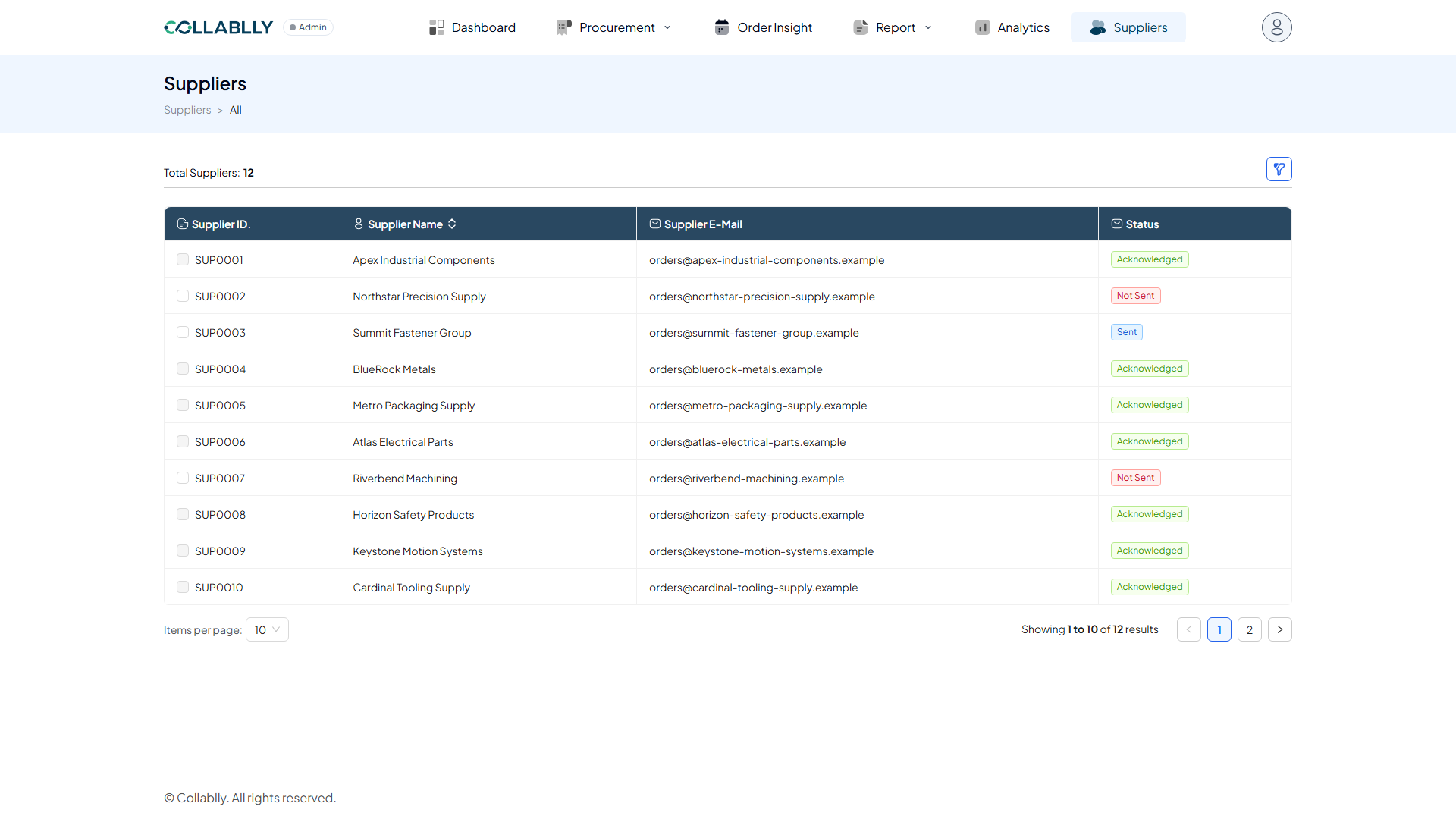
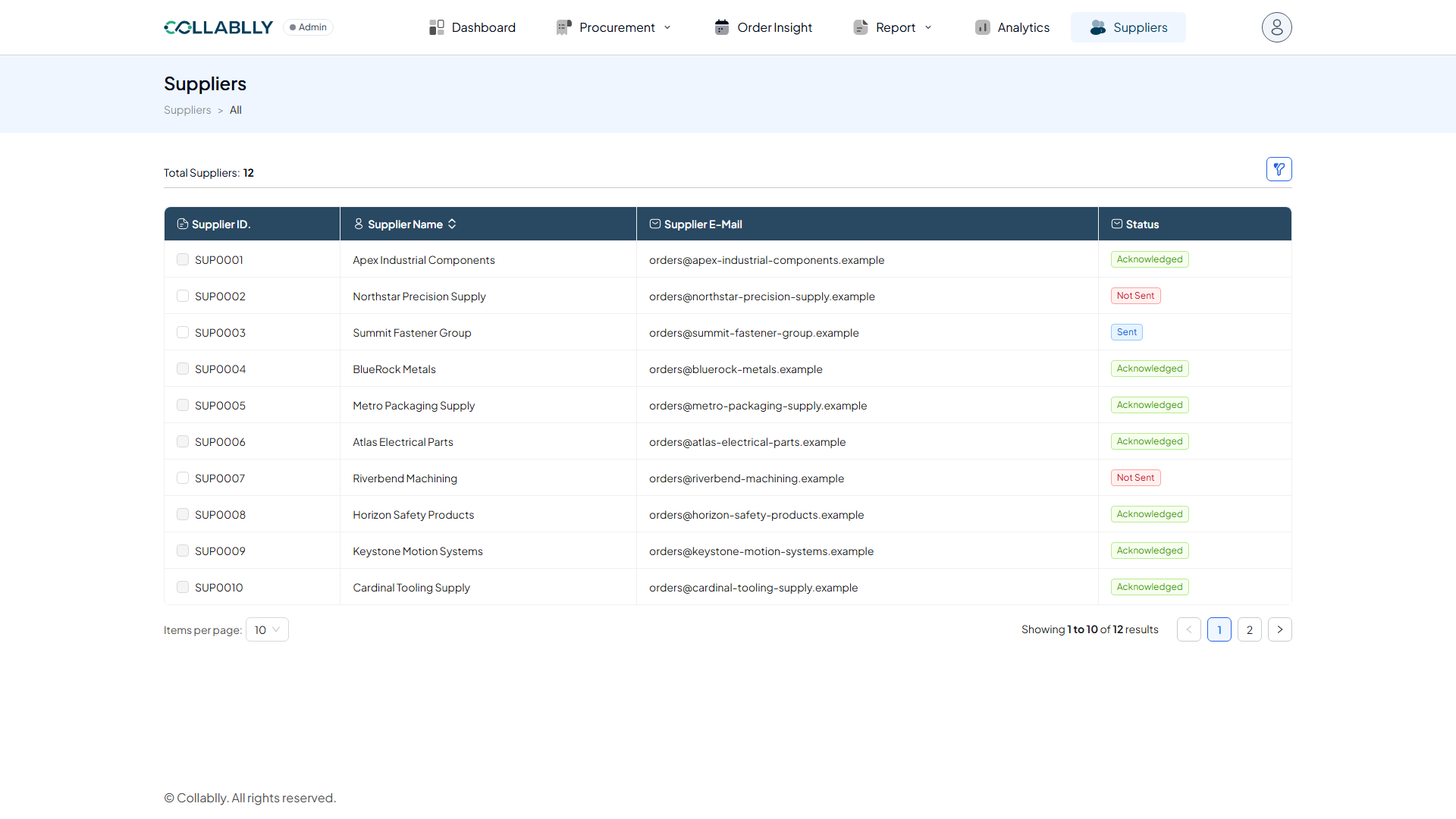
Suppliers lists every supplier in this tenant. Its main purpose is to send suppliers a welcome notice letting them know that, going forward, all communication with them will happen through Collablly email. Once a supplier acknowledges by clicking the link in that email, their Status updates automatically. This tenant has a realistic mix: most suppliers have Acknowledged, a couple are still Not Sent, and one is Sent but hasn't acknowledged yet.
- Step 3 of 10
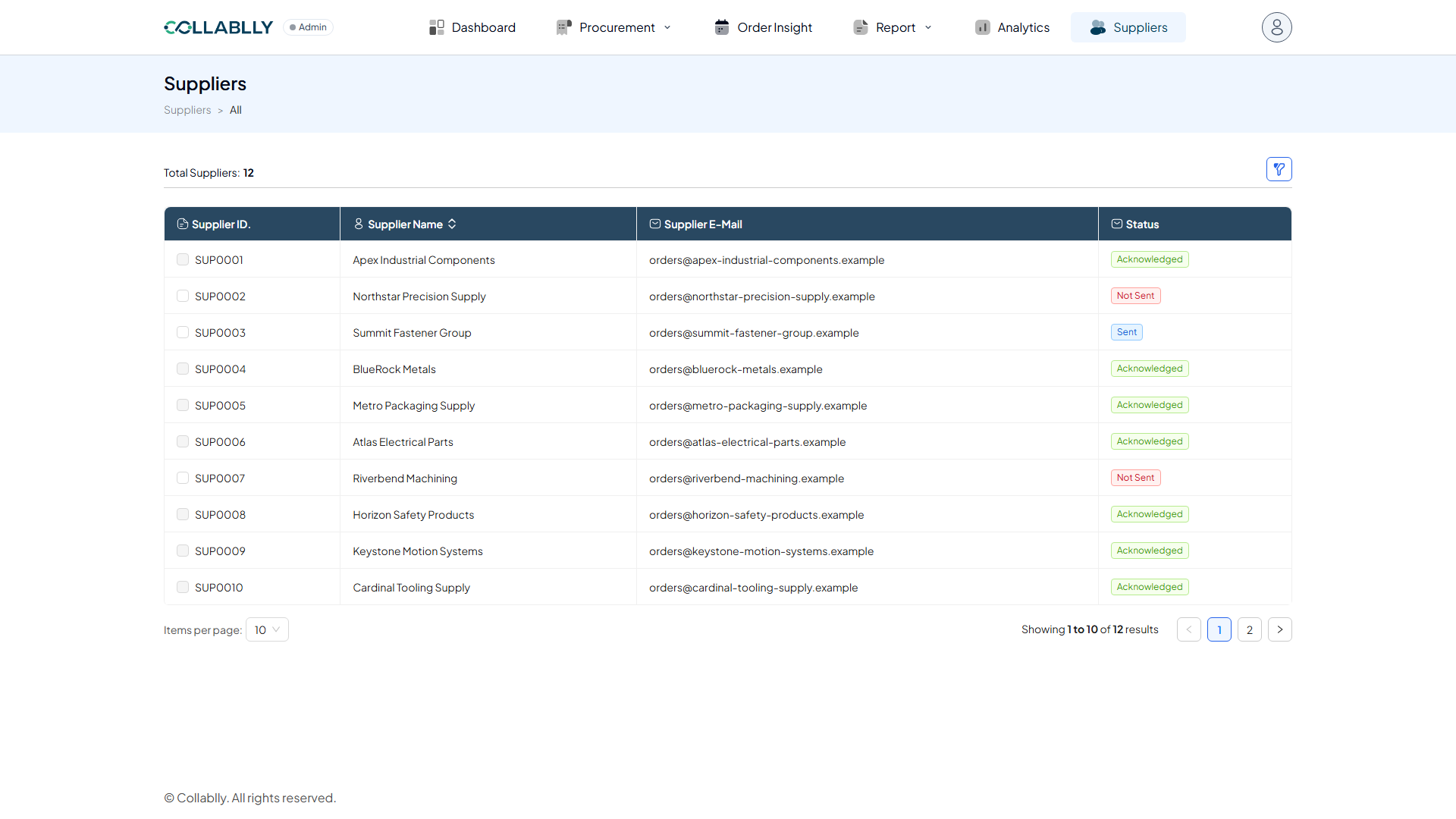
Total Suppliers
A running count of how many suppliers are in this tenant.
- Step 4 of 10
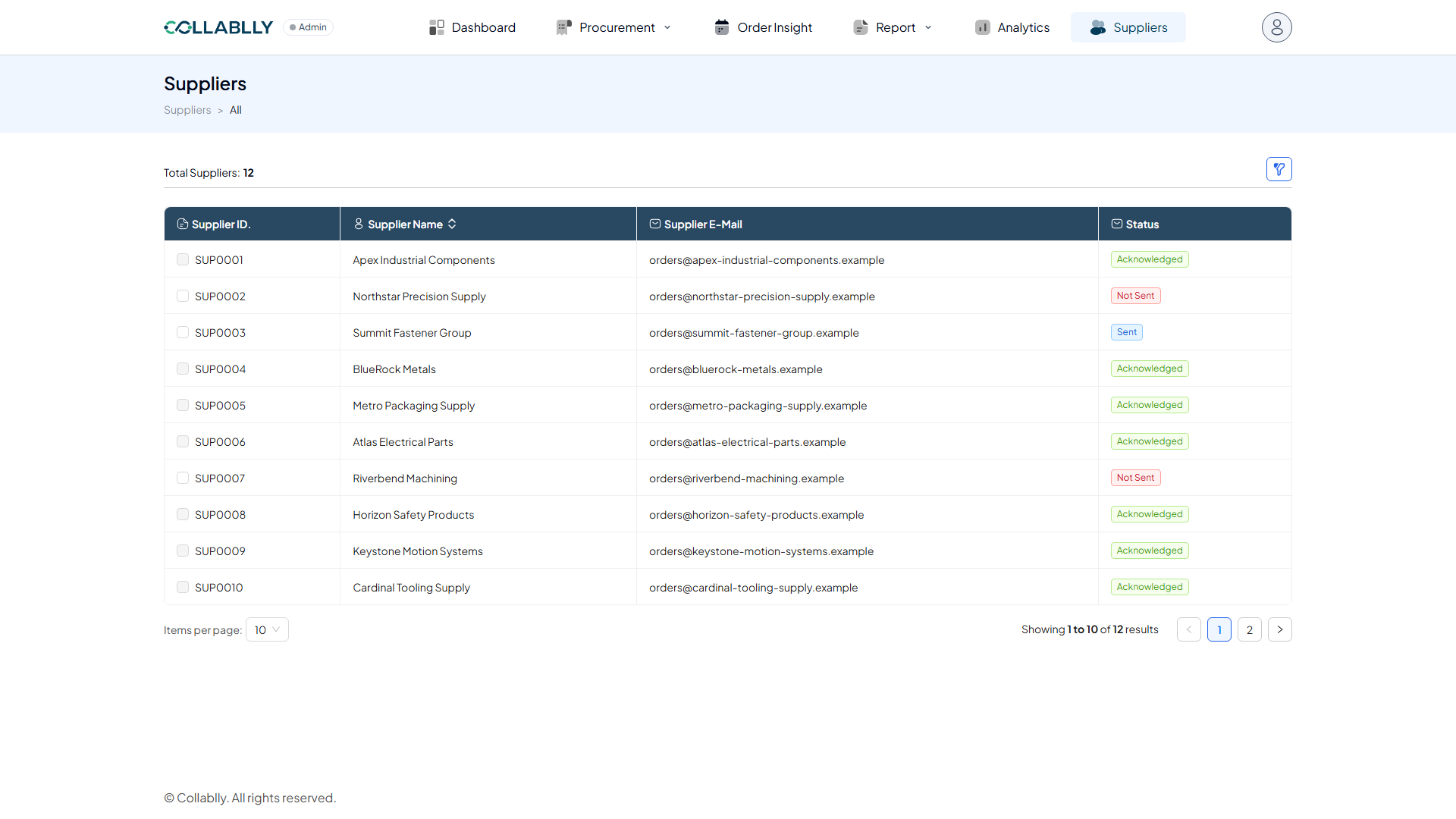
Select suppliers to notify
Check the box beside one or more suppliers to select them.
- Step 5 of 10
Send Welcome Email
Sends the selected supplier(s) a notice that all communication going forward will happen through Collablly. The email includes a link the supplier clicks to acknowledge it.
- Step 6 of 10
Filter
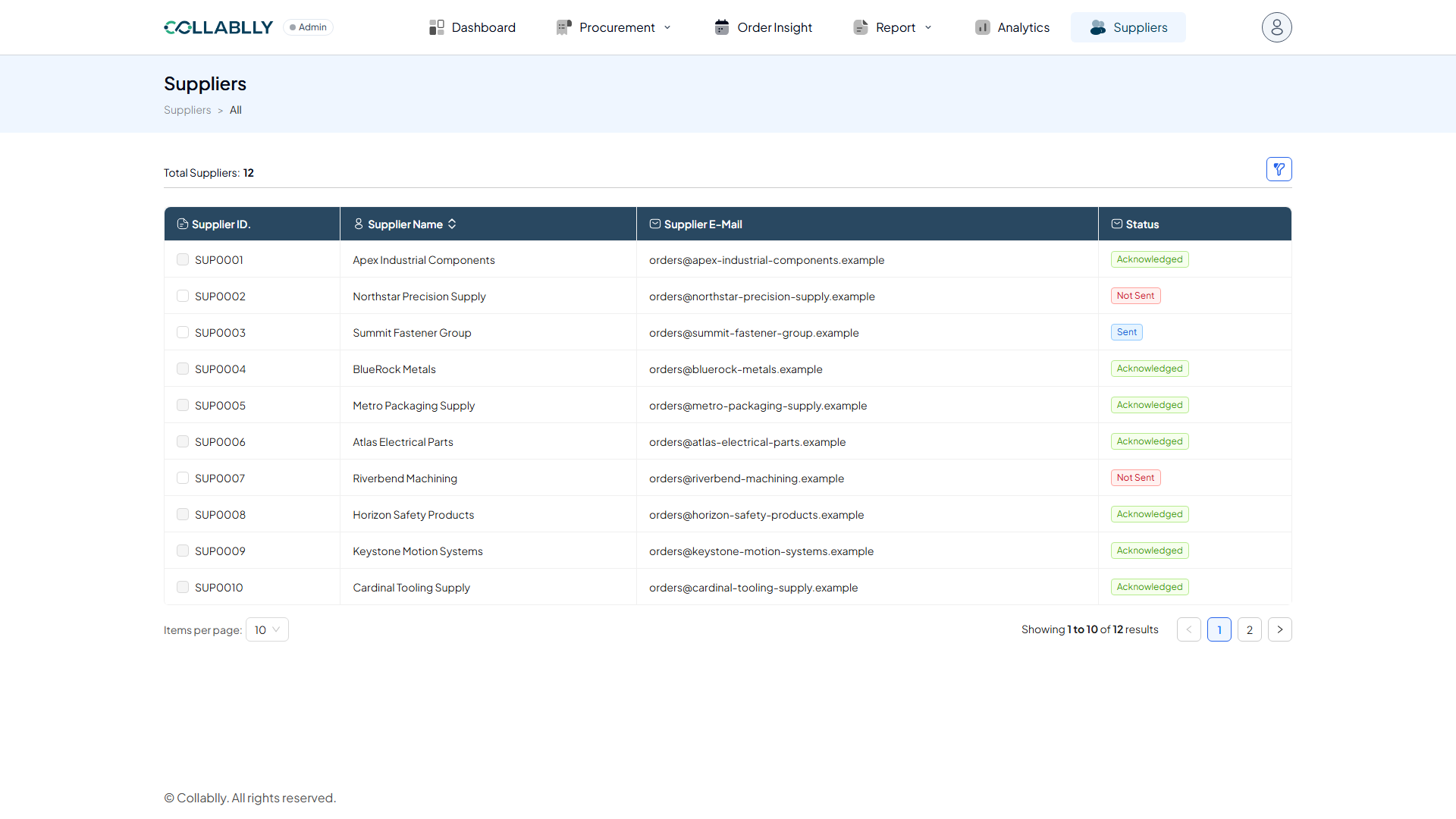
Opens search fields to narrow the list, the same filter pattern used across Collablly SRM.
- Step 7 of 10
Column: Supplier ID
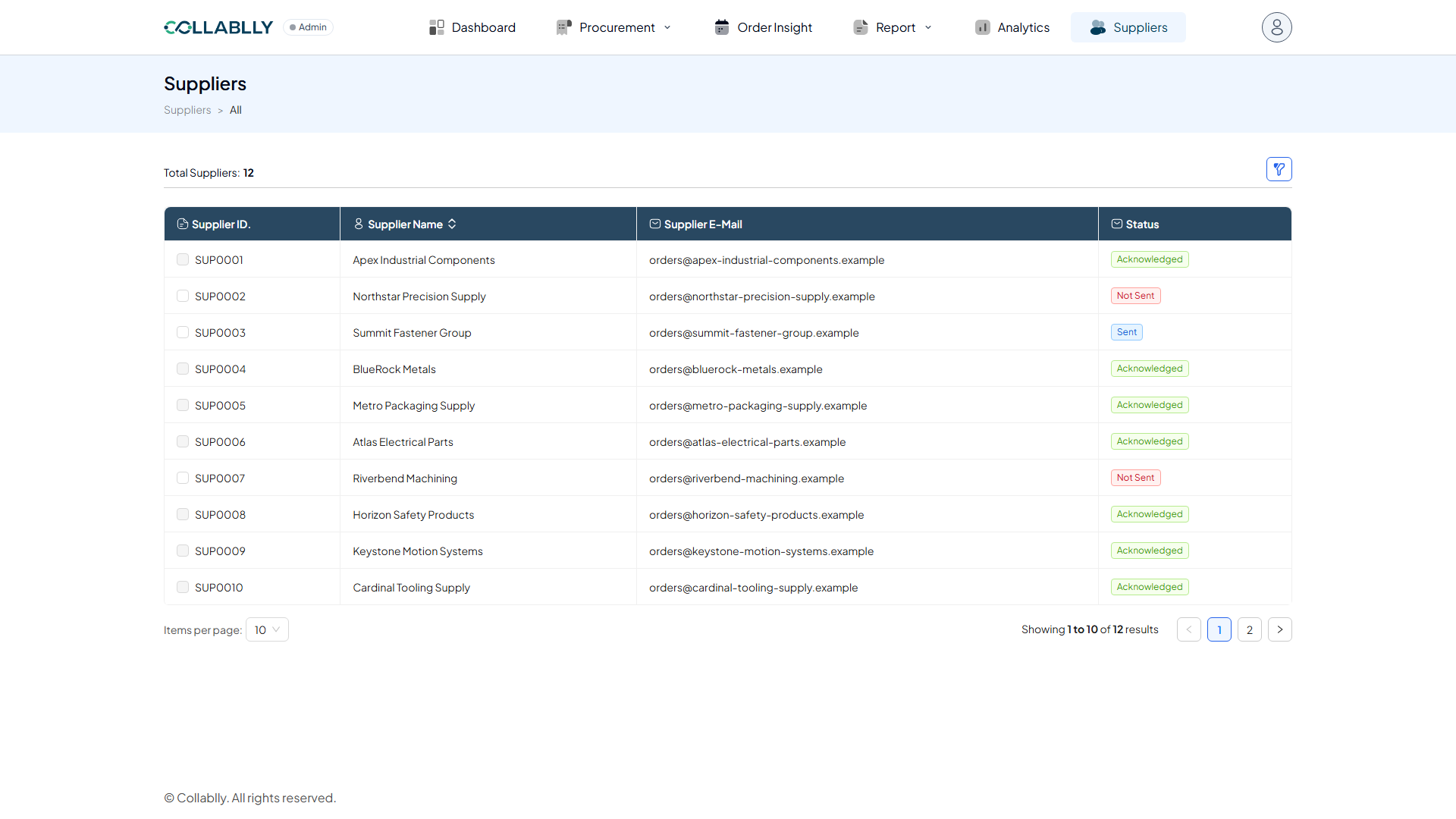
The supplier’s internal ID in this tenant.
- Step 8 of 10
Column: Supplier Name
The supplier’s company name.
- Step 9 of 10
Column: Supplier E-Mail
The address the welcome email and all future communications are sent to.
- Step 10 of 10
Column: Status
Three states, shown here side by side: Not Sent (red, e.g. Northstar Precision Supply) means no welcome email has gone out yet. Sent (blue, e.g. Summit Fastener Group) means the email went out but the supplier hasn't clicked the acknowledgment link. Acknowledged (green, most suppliers here) means they clicked it and Collablly is now the confirmed channel for all communication with them. Once a supplier is Acknowledged, its checkbox locks, there's nothing left to (re-)send; Not Sent and Sent suppliers can still be selected.