
Suppliers is where you manage your supplier records and, for the no-portal flavor of SRM, send the welcome email that introduces a supplier to communicating through Collablly.
Sending welcome emails
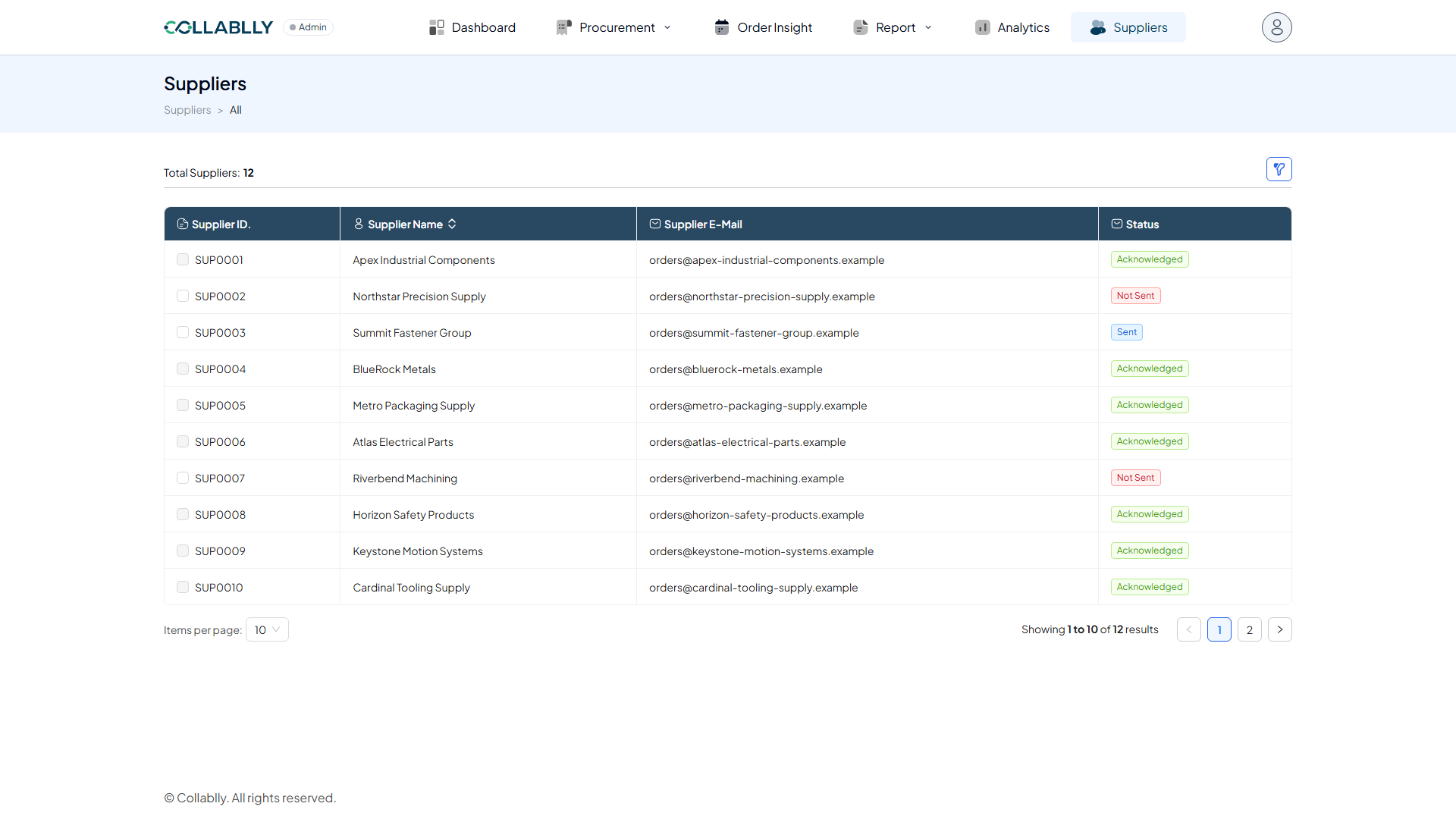
Select one or more suppliers with the checkbox column, then Send Welcome Email to notify them. The Status column tracks whether that supplier has acknowledged it, so you can see at a glance who's been onboarded and who still needs a follow-up.
The three Status values
Not Sent (red) means no welcome email has gone out yet. Sent (blue) means the email went out but the supplier hasn't clicked the acknowledgment link. Acknowledged (green) means they clicked it and Collablly is now the confirmed channel for all communication with them.
Once a supplier is Acknowledged, its checkbox locks, there's nothing left to (re-)send. Not Sent and Sent suppliers can still be selected and sent (or re-sent) a welcome email.
Columns
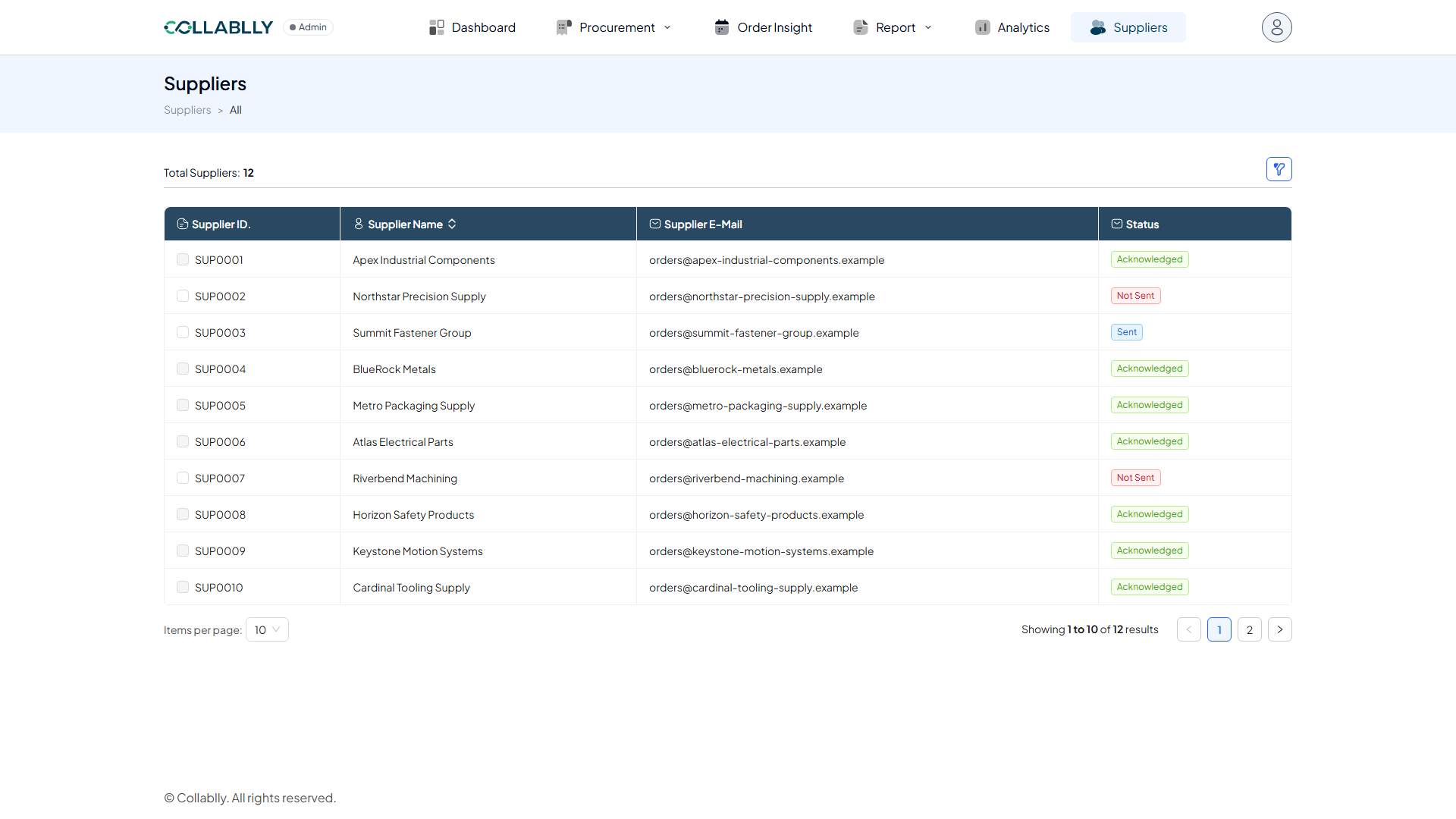
Supplier ID and Supplier Name identify the record; Supplier E-Mail is the contact address welcome emails and PO communications go to. Use Filter to narrow the list to a specific supplier or status.