
Users lets Admins invite and manage other Admin and Buyer accounts. This page is Admin-only: Buyers can't invite other buyers or admins, and won't see this option in their own navigation.
Inviting a user
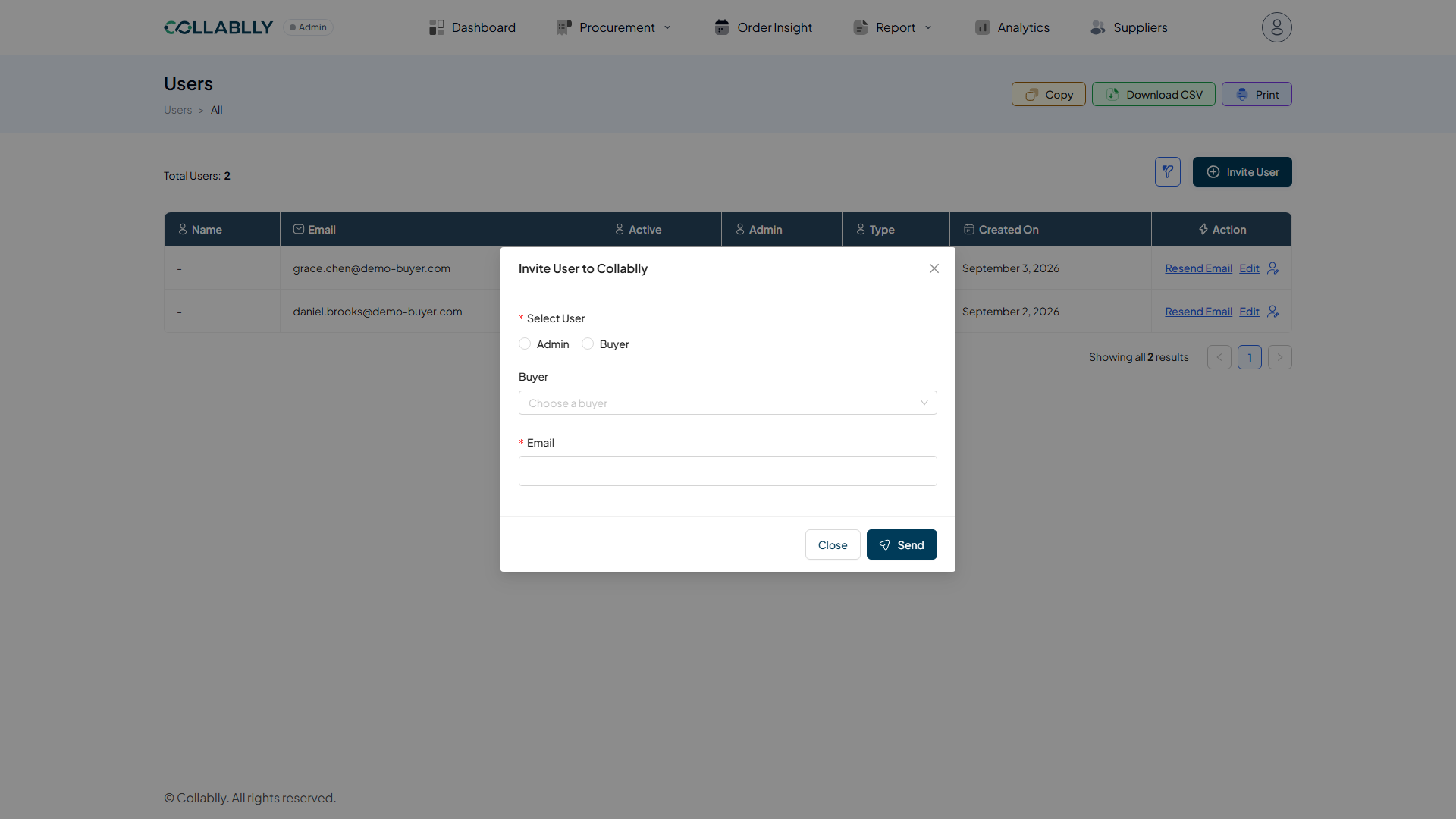
Invite User opens an "Invite User to Collablly" modal: choose a role (Admin or Buyer), then pick who to invite from your existing Buyer contacts, the Email field fills in automatically from that record rather than being typed freely. Click Send to email them an invite.
Name stays blank (shown as a dash) and Active stays No until the person actually signs in for the first time. Created On and the Admin/Type columns are set immediately from your choices in the invite form.
Managing a user: Edit and Resend Email
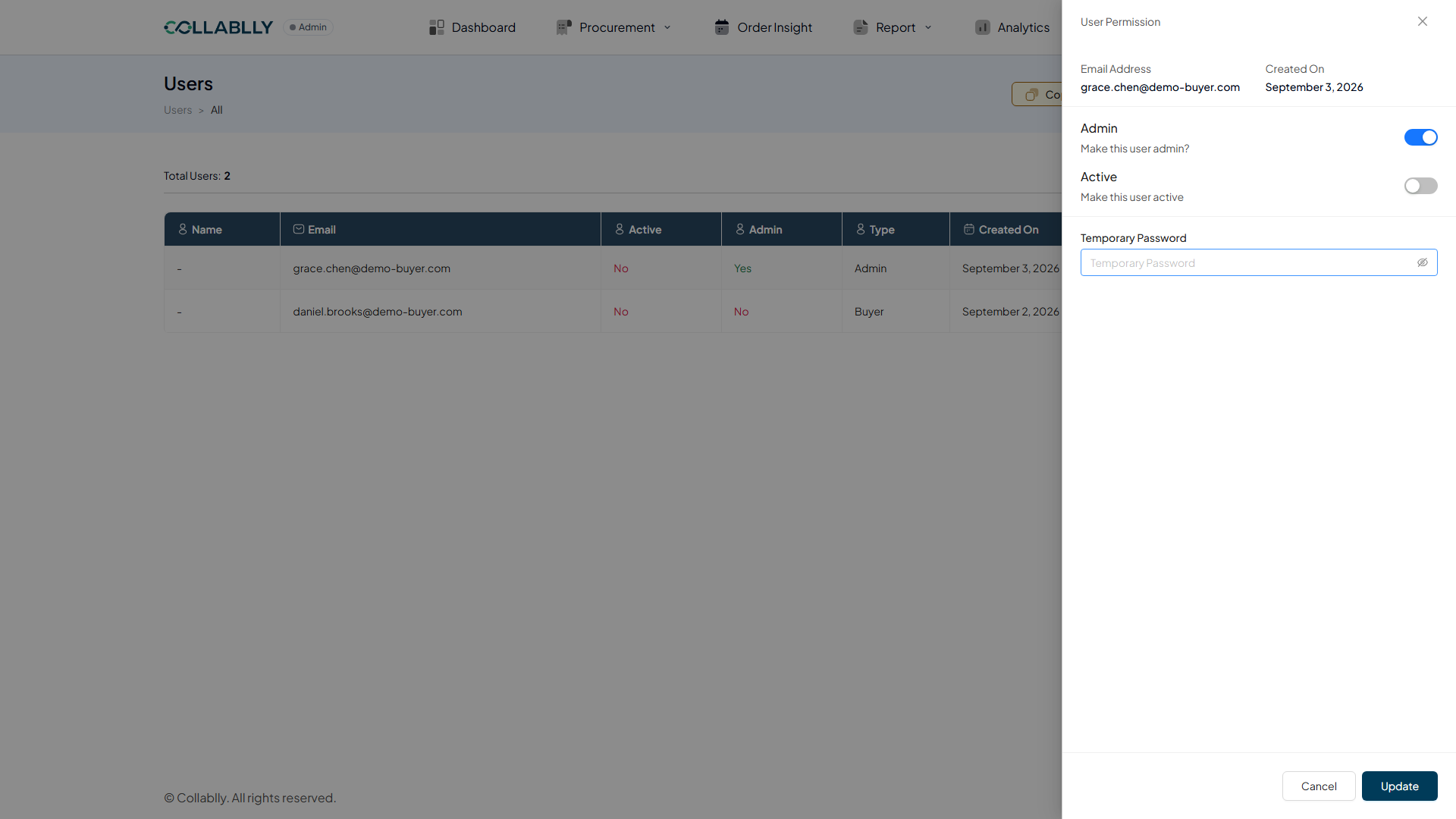
Edit opens a User Permission panel for that one user: an Admin toggle to grant or remove Admin access, an Active toggle to enable or disable their login, and a Temporary Password field an Admin can set for them. Update saves the change; Cancel leaves everything as it was.
Resend Email re-sends that user's original invite email, useful when it was missed, expired, or landed in spam. It doesn't change anything about the user's record, it's purely a re-send.
Columns
The list shows Name, Email, Active status, whether they're an Admin, their Type, and Created On, with row-level Action options. Use Filter to narrow the list, and Copy / Download CSV / Print to export it.