
Purchase Order is where you track, communicate on, and edit every PO in the system. It has two views of the same data at different levels of detail: Summary View (one row per PO) and Details View (one row per PO line).
Status filters and toolbar
Tabs across the top filter the list by status: All, InProcess, Late, Early, Completed, New, and Updated. Reload Data refreshes the list; Sync with ERP pulls the latest state from your ERP system.
The toolbar also has Filter (for narrower, field-level queries) and Copy / Download CSV / Print for exporting whatever the current view shows.
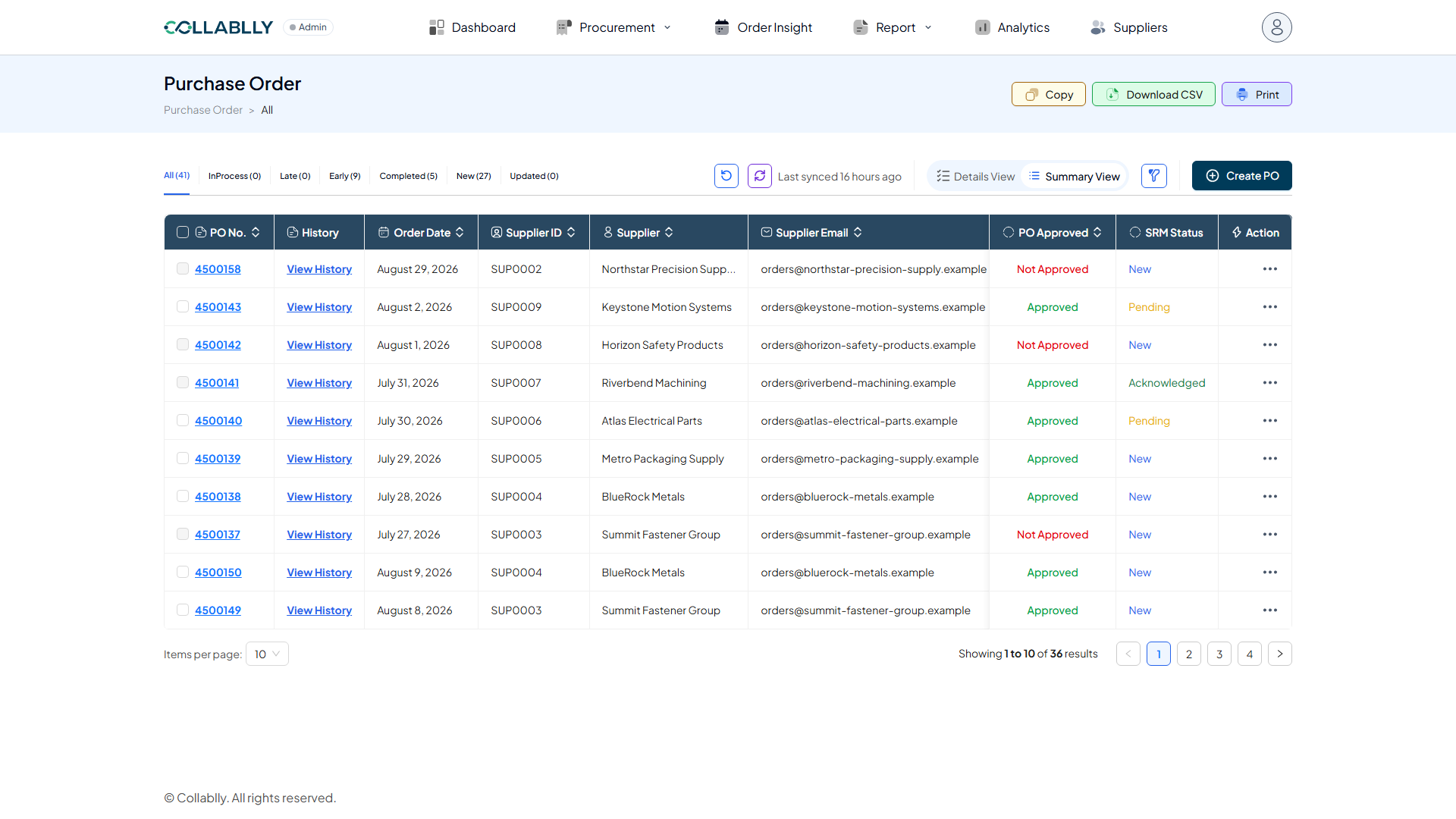
Summary View columns
Summary View is one row per PO, with columns for PO No., Supplier, Supplier Email, Buyer, Buyer Email, Order Date, PO Approved, SRM Status, and a History column linking to that PO's full communication trail.
Buyers only ever see their own POs here, and the Buyer / Buyer Email columns are hidden for Buyer accounts since they're implicitly viewing their own. Admins see every PO across every buyer, with those columns included.
The Action menu on each row moves a PO through its lifecycle: New, Pending, and Acknowledged are the stages you'll see there.
Details View columns
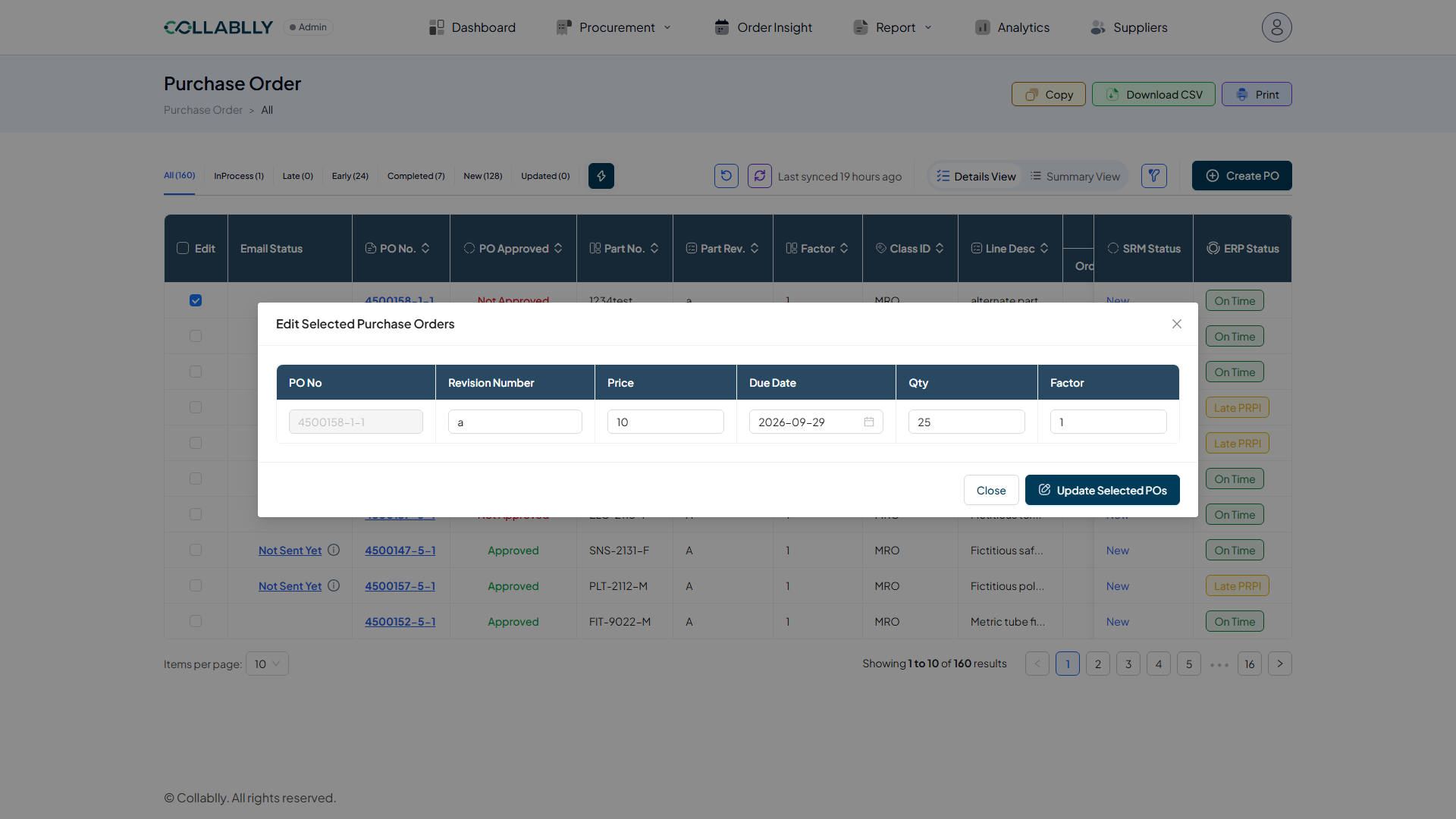
Details View switches to line-item granularity: one row per PO line, shown as PO#-Line-Rel (e.g. 4500158-1-1). Use the Edit checkbox to select one or more lines; selecting any reveals an edit action in the toolbar that opens every editable field for bulk or single-line editing.
Email Status tracks communication on that specific line: Not Sent Yet (nothing sent), Waiting for Response (sent, awaiting reply), Needs Action (supplier replied, buyer must Accept or Suggest changes), or Resend (cycle complete, available to resend).
Qty Order / Arri. / Rcvd. are the ordered, arrived, and received quantities. Date Order / Due / Arri. are the matching dates. ERP Status reflects delivery against the due date: On Time, PRPI (partially received, pending inspection), Late, Late PRPI, or Late PI.
SRM Status mirrors the same status shown at the PO-head level in Summary View, just scoped to this one line. Tags shows any tag assigned to the line (see the Tags module) and is blank if none.
Creating a PO
Create PO starts a new purchase order and its initial communication to the supplier from scratch, without waiting on an ERP sync.