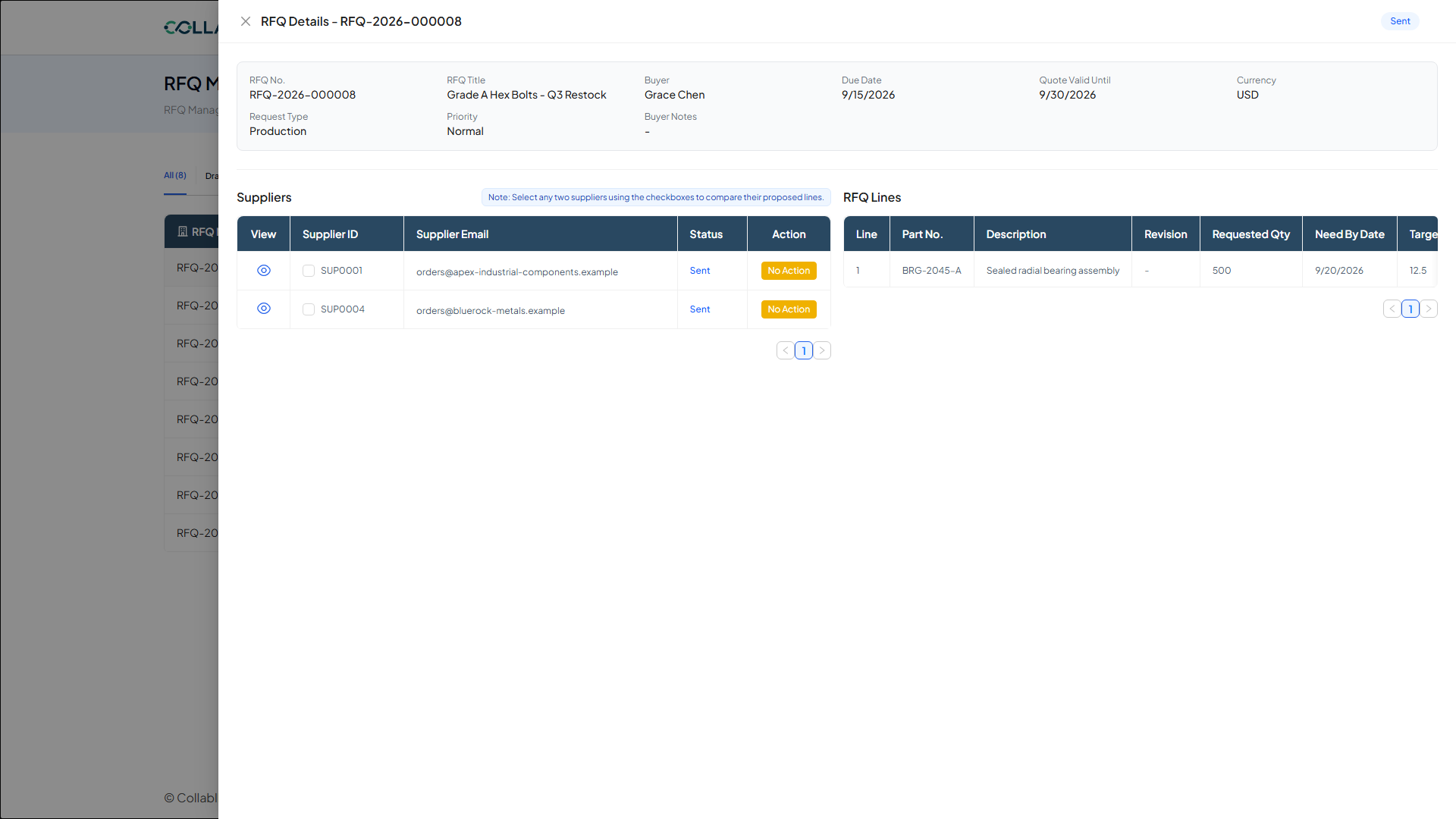
RFQ Management lets you create and send Requests for Quote to one or more suppliers, then track their responses in one place, useful whenever you need competitive pricing before issuing a PO.
RFQ basics
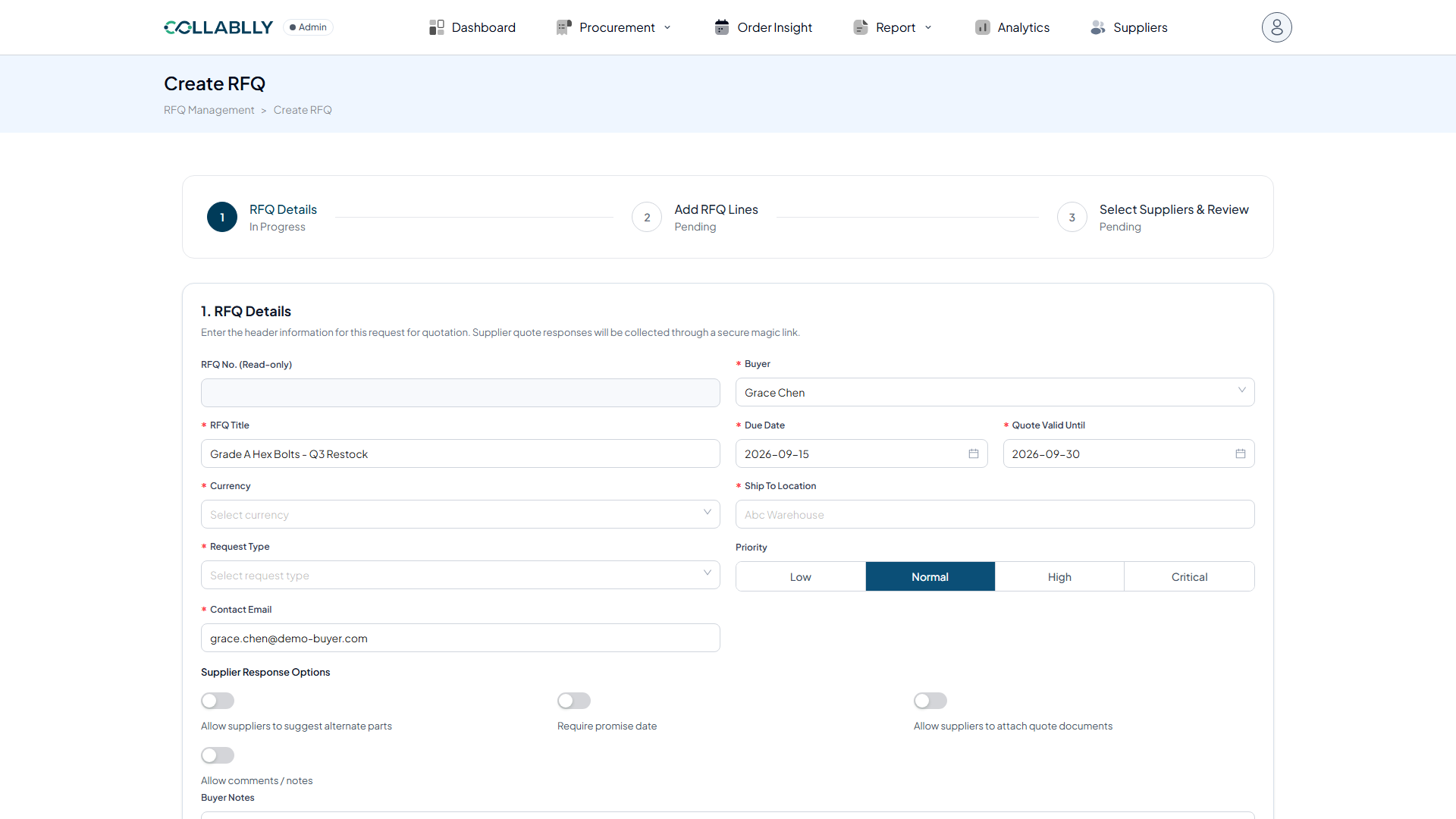
Starting a new RFQ, you set the Buyer, a Title, the quote Due Date and Quote Valid Until date, Currency, Ship To location, Request Type, Contact Email, and Priority.
Toggles let you control how suppliers can respond: allow them to suggest alternate parts, require a promise date, allow quote-document attachments, and allow comments or notes.
Line items
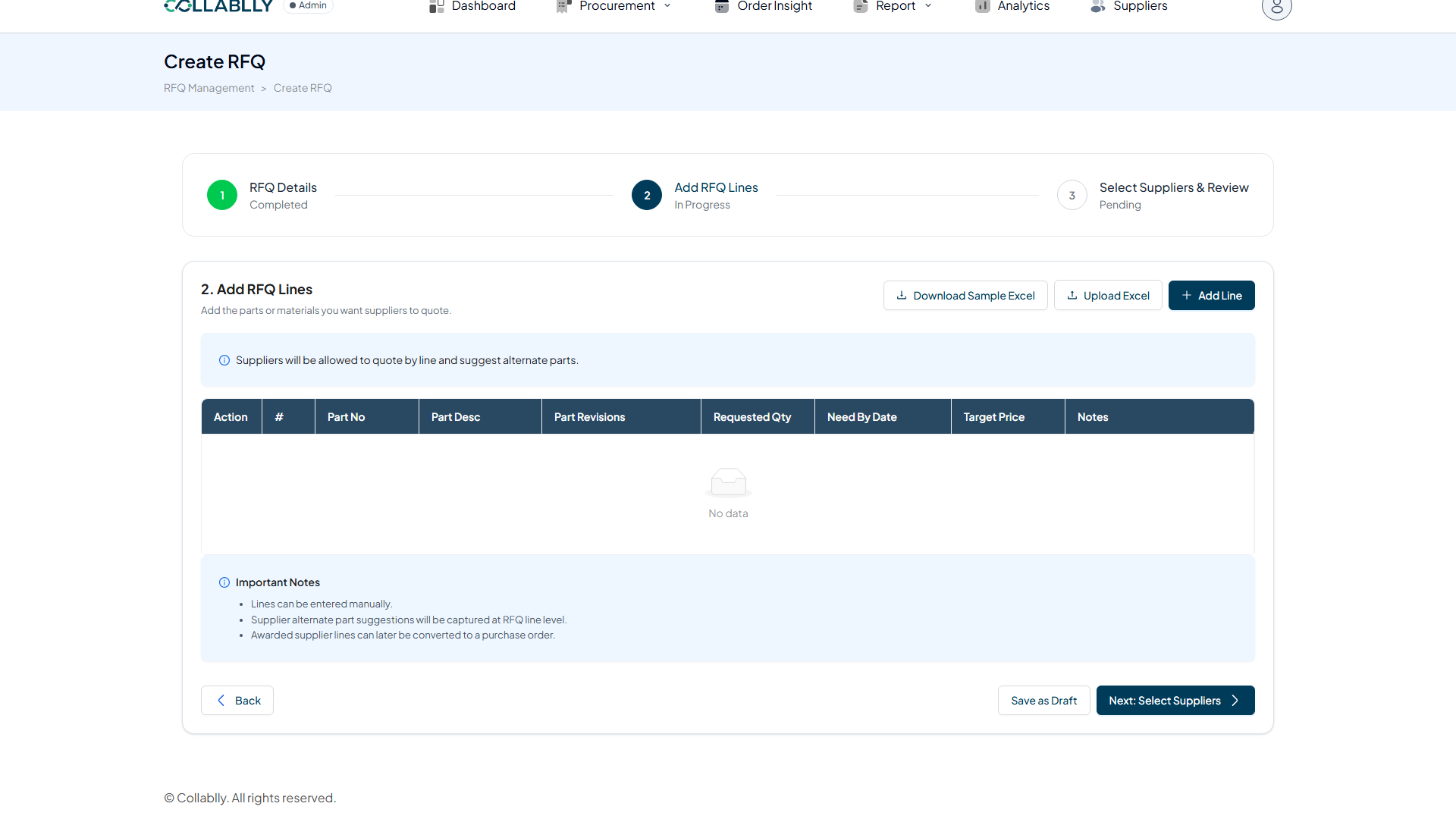
Add one line per part you're requesting a quote for: Part Number, Requested Qty, Need By Date, and an optional Target Price to guide supplier responses.
Choosing suppliers
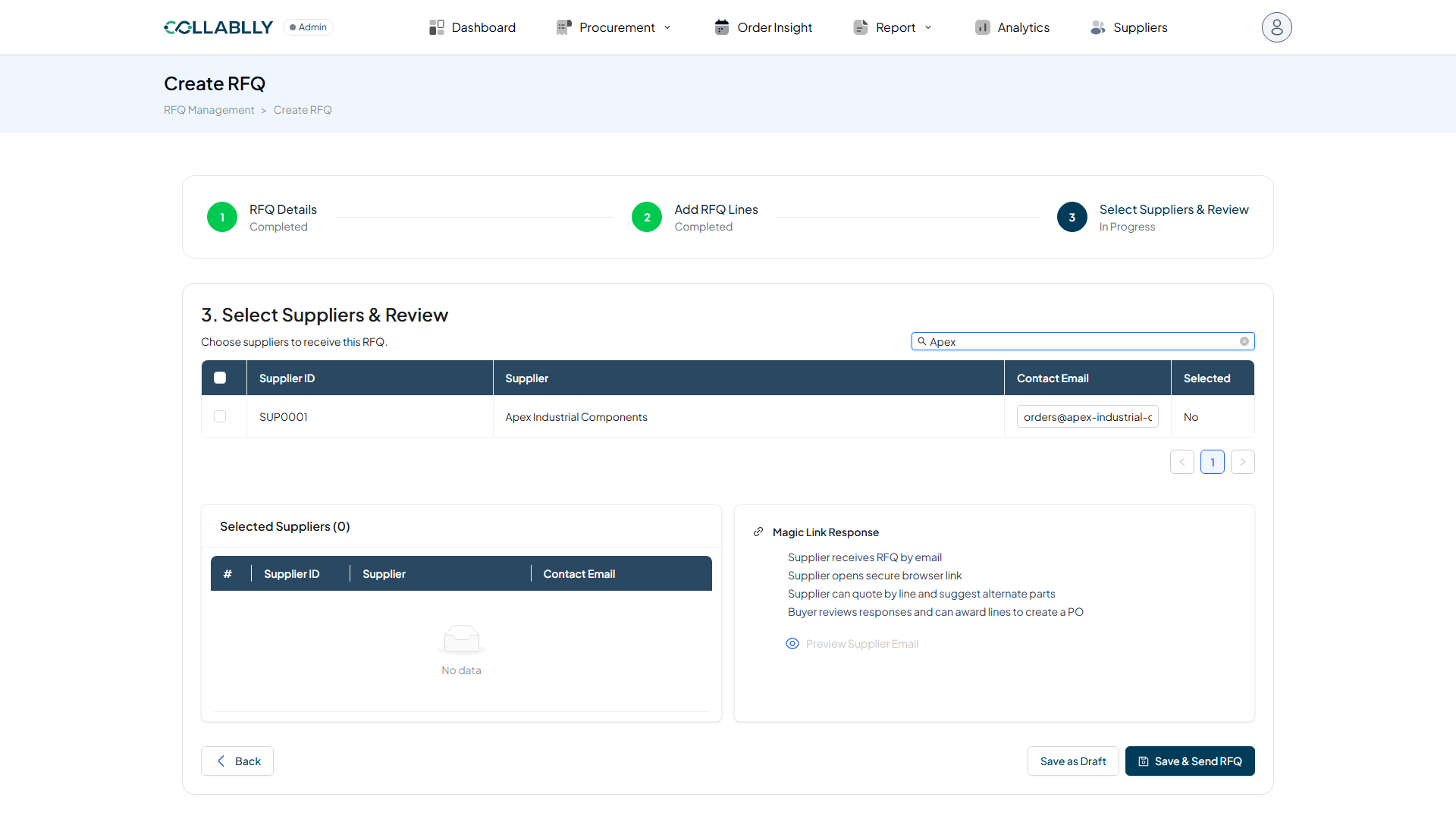
Search for suppliers by name, review the results, and select which ones should receive this RFQ before sending.
Sending and tracking
Once sent, the RFQ appears in the list where you can find it and open its details drawer to review responses as suppliers reply.