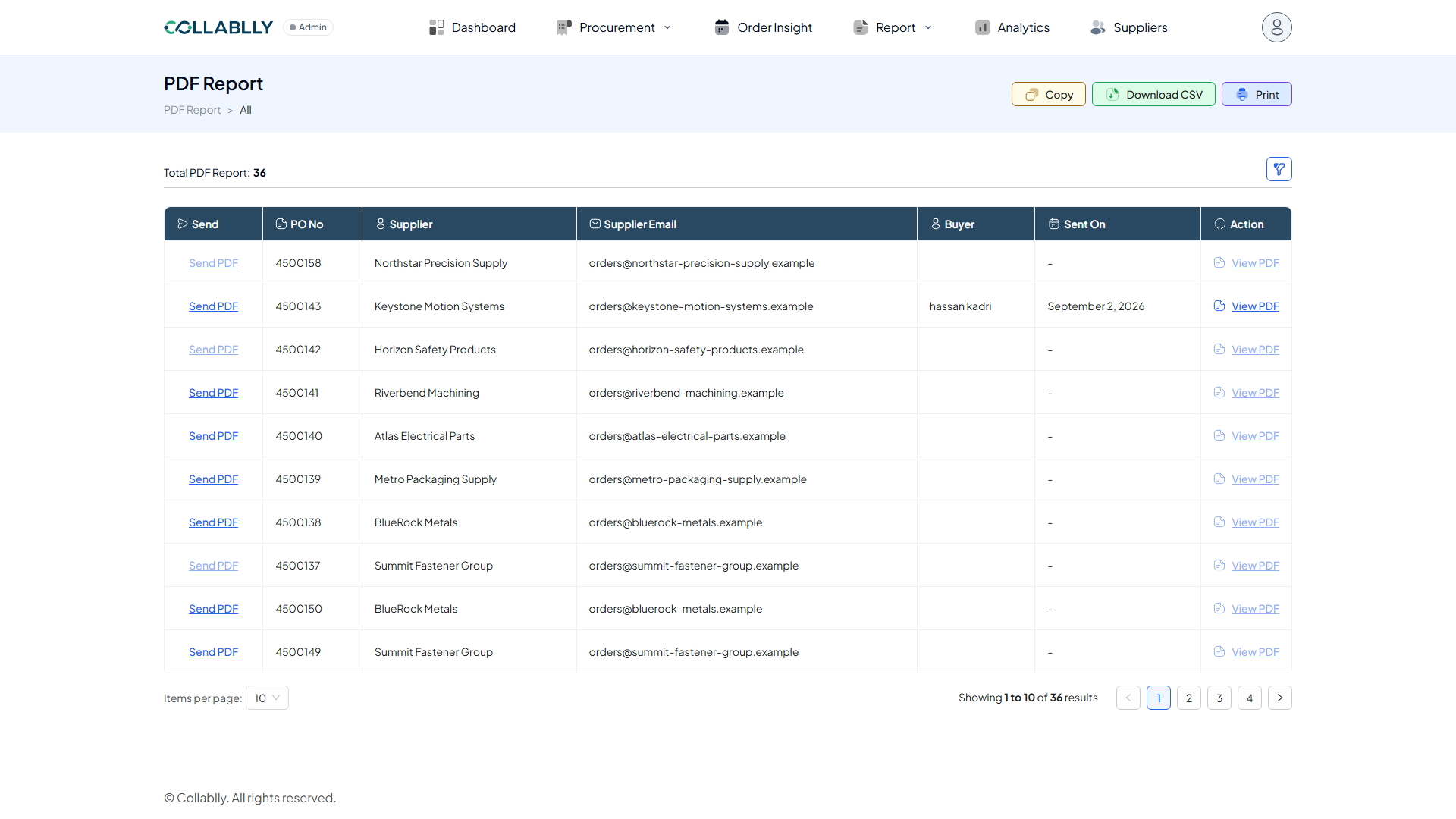
PDF Report generates formatted PDF exports of your PO communications, useful whenever you need a shareable document rather than raw data in the app.
The report list
Each row tracks one PDF report: Send indicates whether it's been sent, PO No identifies the purchase order, and Supplier / Supplier Email / Buyer show who's involved. Sent On records when it went out, and Action gives you row-level options.
Use Filter to narrow the list, and Copy / Download CSV / Print to export it.
Send PDF and View PDF
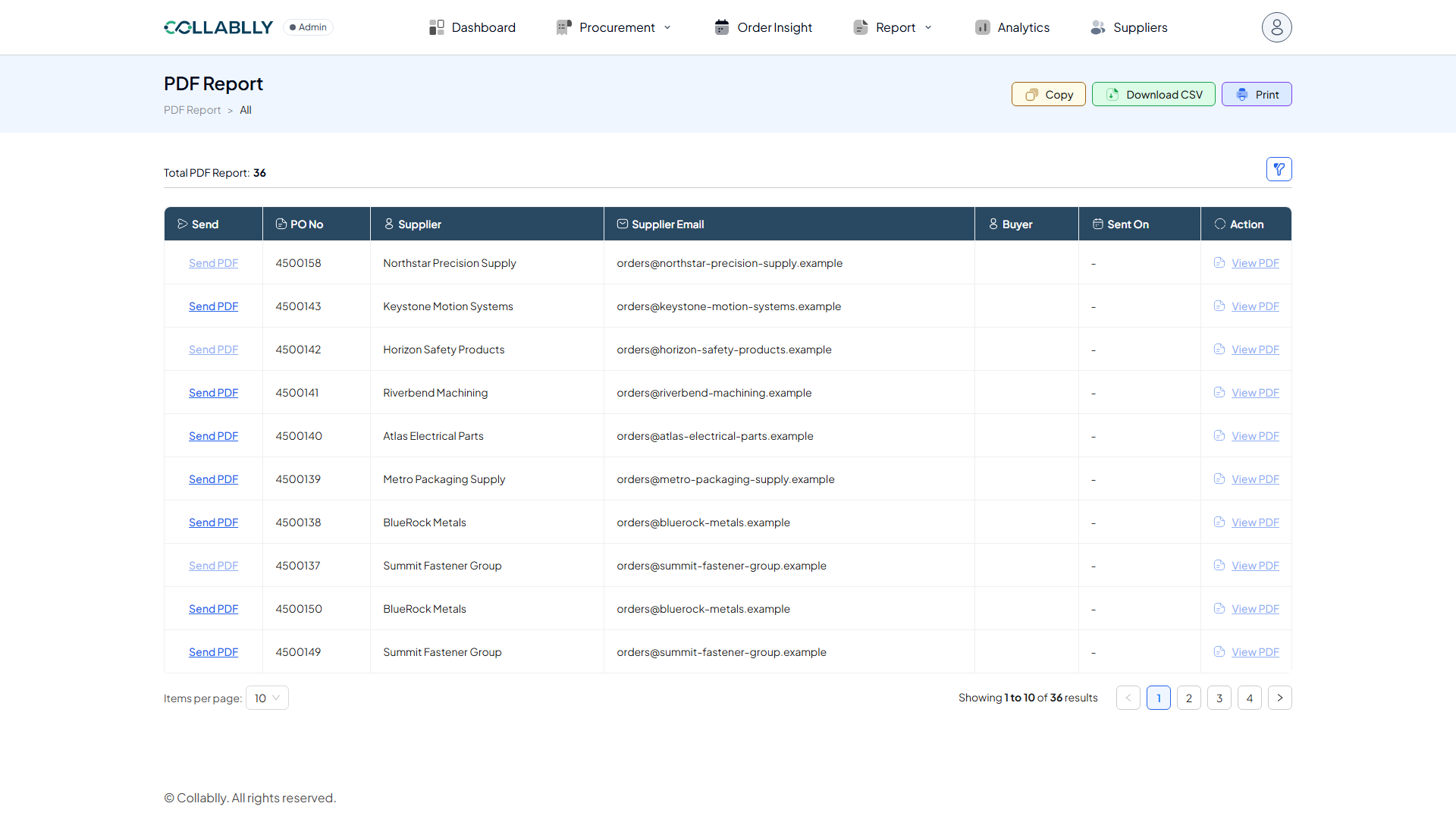
Send PDF stays greyed out and unclickable until the PO is approved. Once the PO is approved, the link goes dark and clickable, whether or not it's ever been sent.
View PDF stays disabled until the PDF has actually been sent at least once. Sending generates and saves a copy, logs the sender under Buyer and the date under Sent On, and switches View PDF on to open that copy. Sending again regenerates the PDF and replaces View PDF with the newer file.